
Self-hosted AI work pipeline

Describe the work. Agents do it. You make the call.

Kidoka moves every ticket through a pipeline of AI agents: plan, build, review, test. It stops for a person where it matters. For code, and for every team around it.

Runs on your own machine · Claude Code, Codex or an API key · Coming soon

Watch

The whole loop,
in thirteen minutes.

Create the admin account, describe a change, and watch agents plan, code and review it until it waits for your approval. Along the way, a production error triages itself into a ticket. Recorded in the real app; long waits are sped up.

Six teams, one project

Not just code.
The whole company.

Kidoka gives every team its own board, agents and pipeline inside the same project. Agents draft, check and test; a person from the team signs off. Six short films on one to-do app, each recorded end to end.

01

Product

Customer feedback becomes a plan.

A Product writer reads the code to learn what the app does today, then writes the PRD: the problem in the customers' words, and the requirements. The product lead approves it before anyone builds; then the Planner and the Coder take over.
Agent
Product writer
Signs off
Product lead
02

QA

A test plan, run in a real browser.

The Test Designer turns a ticket into a test plan. The QA Tester starts the app, runs every case in a browser and hands in a verdict with screenshots. The QA lead signs it off.

Agents
Test Designer · QA Tester
Signs off
QA lead
03

Docs

Guides checked against the code.

The Docs writer writes the user guide for the people who use the app. The Docs reviewer checks every sentence against the code and sends back what is wrong. The docs lead approves.

Agents
Docs writer · Docs reviewer
Signs off
Docs lead
04

Security

A review before every release.

The Security reviewer goes through the app against a checklist and files a report the pipeline checks against its schema. Every finding comes with a risk level and a fix; the security lead signs off, or accepts the risk with a condition.

Agent
Security reviewer
Signs off
Security lead
05

Marketing

Launch copy that matches the product.

The Copywriter drafts the blog post and the social post from a brief, checking the facts in the code. The Brand Reviewer checks every claim, the tone and the brief, and passes or fails it. The marketing lead approves.

Agents
Copywriter · Brand Reviewer
Signs off
Marketing lead
06

Support

Customer e-mails, answered from the facts.

A trigger turns each support e-mail into a ticket. The Triage agent sorts it, and the Reply writer drafts the answer from the product facts, with no code tools. A person approves the reply, or escalates it with a note for the team.

Agents
Triage agent · Reply writer
Signs off
Support

How it works

The facts.

Every ticket follows the pipeline its team drew. Agents do the stages they are good at; people do the ones that need a decision. Nothing moves on until its checks pass, and everything is kept.

Pipelines
Draw the stages on a canvas. Pass moves a ticket on; fail sends it back with the reason.
People
Any stage can be done by a person. It waits in Needs you: approve, send back with a note, or reject.
Agents
Each with its own prompt, model and tools. Take one from the library or make one for this project.
Checks
A stage passes only when its checks do: required documents, a review verdict, a check command, a data schema.
Monitoring
Errors from your app are grouped into issues. The triage agent opens a ticket for the real bugs.
Workspace
A git repository with a branch per ticket, a plain folder, or no workspace at all.
Teams
Invite people with a one-time link. Each team gets its own board and pipeline.
Record
Every round, document, agent step and setting change stays on the work page.

Coming soon

Ten minutes to
your first ticket.

Kidoka is not open to the public yet. When it is, this is all it takes: Docker with Compose v2, and three steps.

  1. $ ./install.sh
    ✓ Docker found
    ✓ .env created
    ✓ Demo repository ready
    ✓ Stack started
    
    Open http://localhost:8080
    Step 1

    Install

    One script checks Docker, writes the settings, then builds and starts everything.

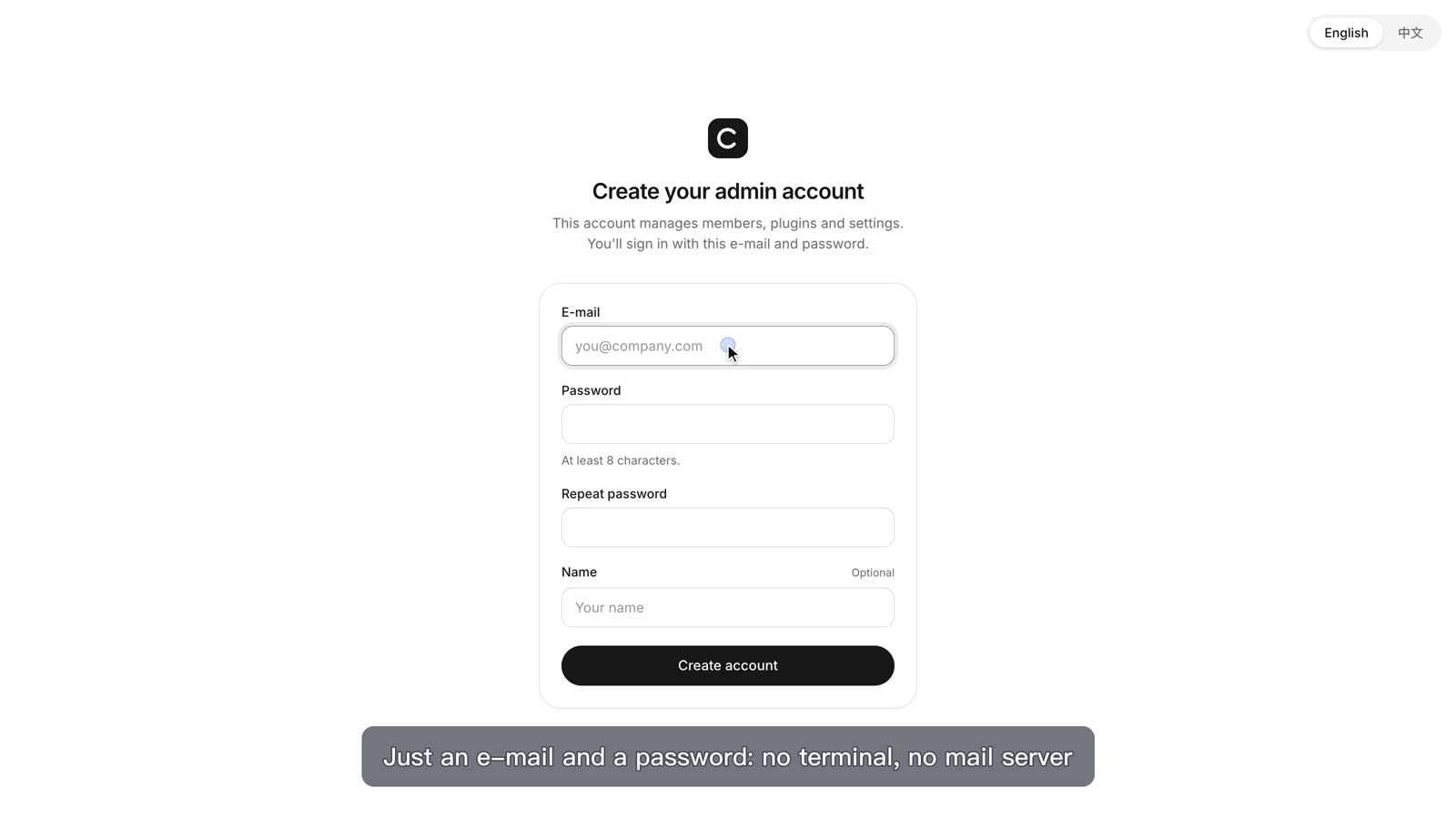
  2. The Create your admin account form
    Step 2

    Create the admin

    Just an e-mail and a password in the browser. No terminal, no mail server.

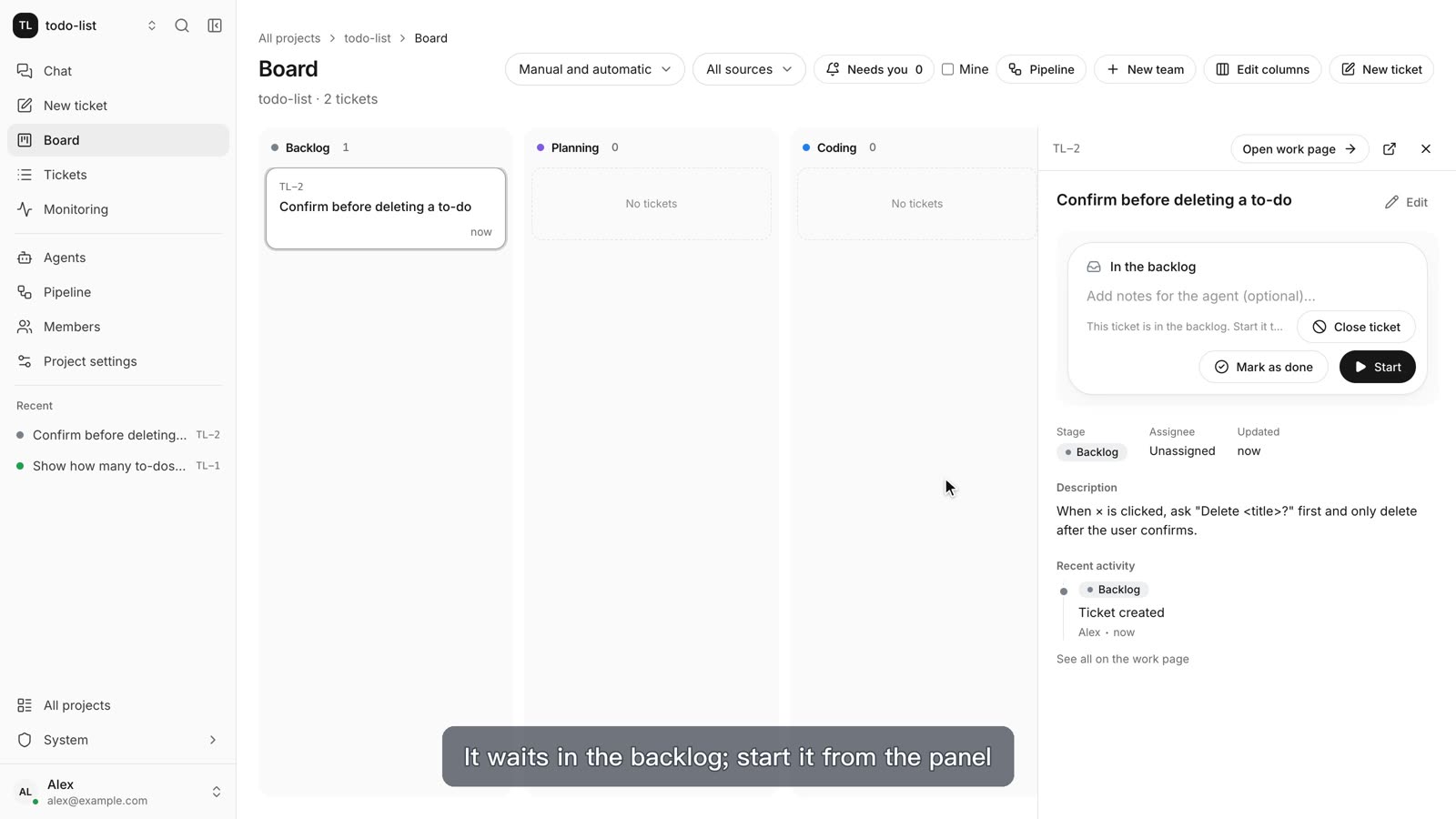
  3. A new ticket on the board, ready to start
    Step 3

    Describe the work

    Connect Claude Code, Codex or an API key, create a project and write what you want.